Storemapper is a store locator app and software that helps businesses provide their customers with an easy way to find nearby stores or locations where their products are available. It offers various features to enhance the store locator experience for both businesses and customers.
Storemapper is praised for its ease of use and the ability to load locations easily. It also provides a link to Facebook, allowing customers to search for stores on a business's Facebook page. This feature can be particularly useful for businesses looking to expand their reach and make it convenient for customers to find their products.
How to add custom fields in Store Locator app
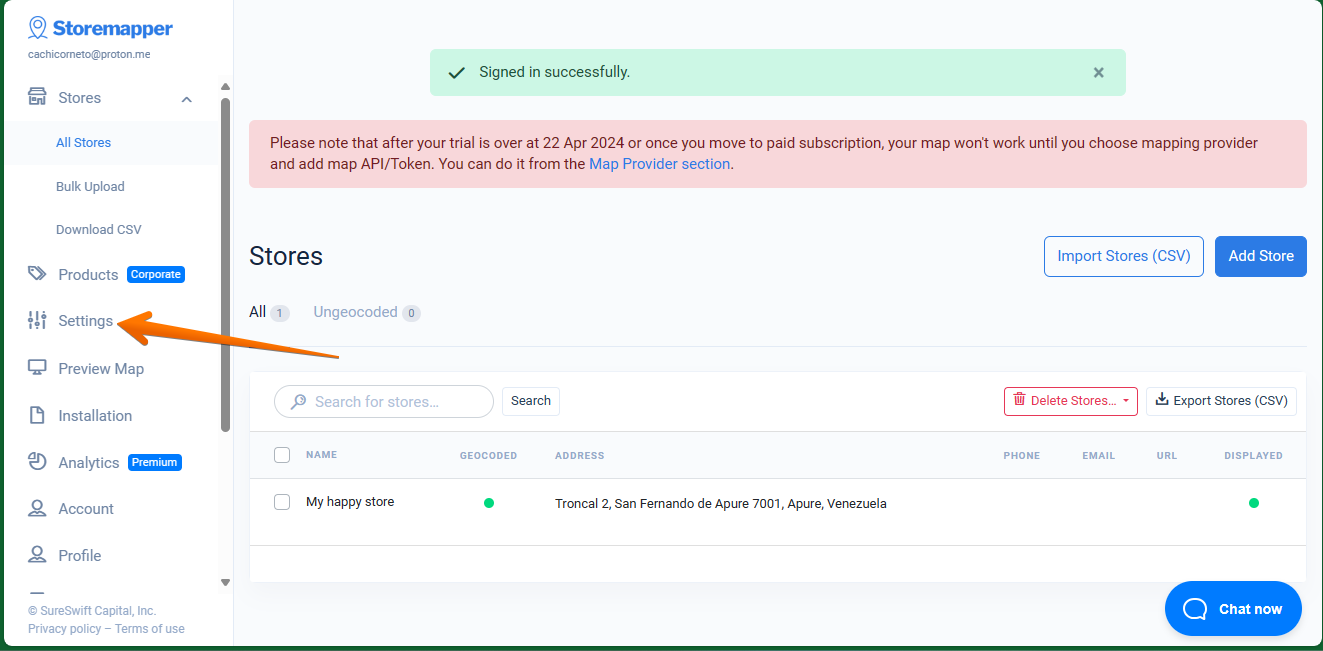
Okay, in this opportunity we are going to see how to create custom fields. This is a very interesting function, since there are certainly some default fields. However, we will be able to add the fields that we believe necessary according to our need. Let's see how to do it. The first thing we are going to do is to go to Settings.
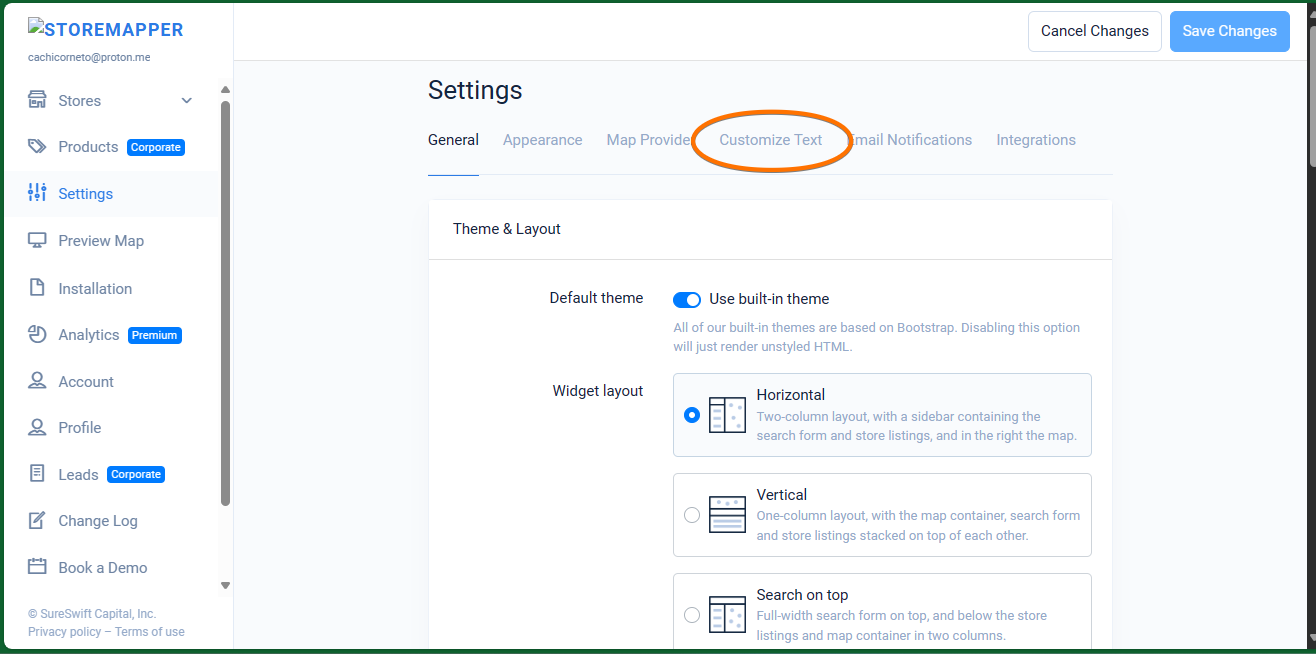
Once there, just click on Customize Text.
Okay, once in this section, just scroll down to the bottom. Click on the Add Custom Field section.
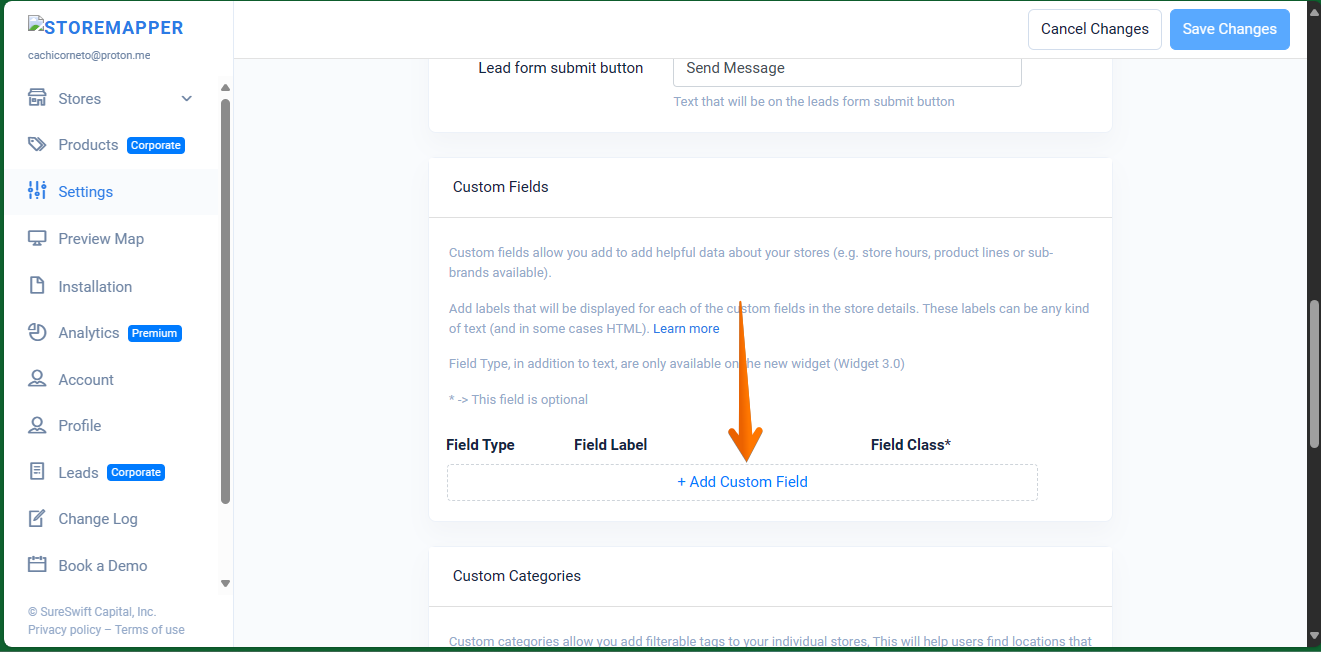
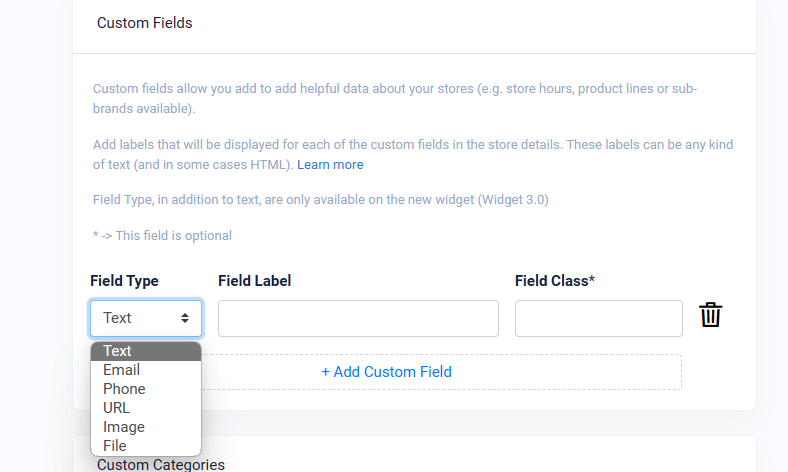
In this section there are 3 fields available to be filled in: Field Type, Field Label and Field Class..
In the field type there are several options available according to your needs. For example, Text, Email and Phone. See the following image:
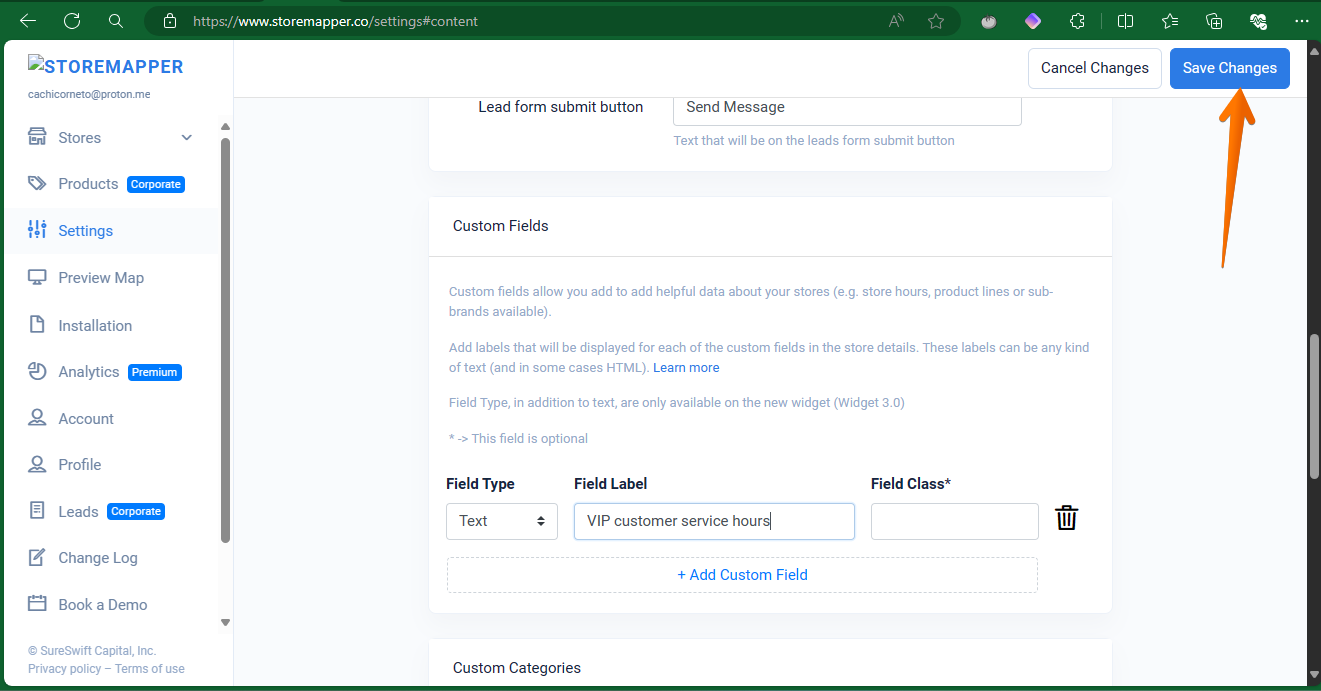
When you are ready, just click on Save Changes.
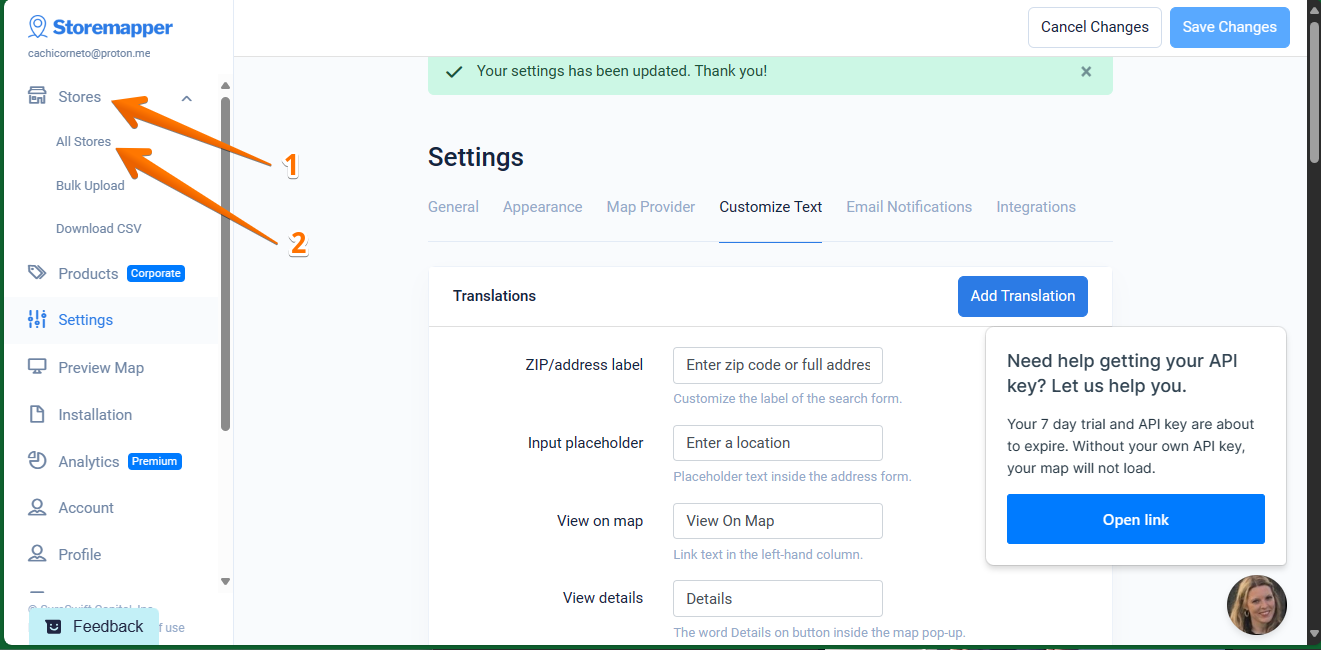
Now let's check the status of this addition. With this in mind, just click on Stores. This action will display all the available stores in your listing.
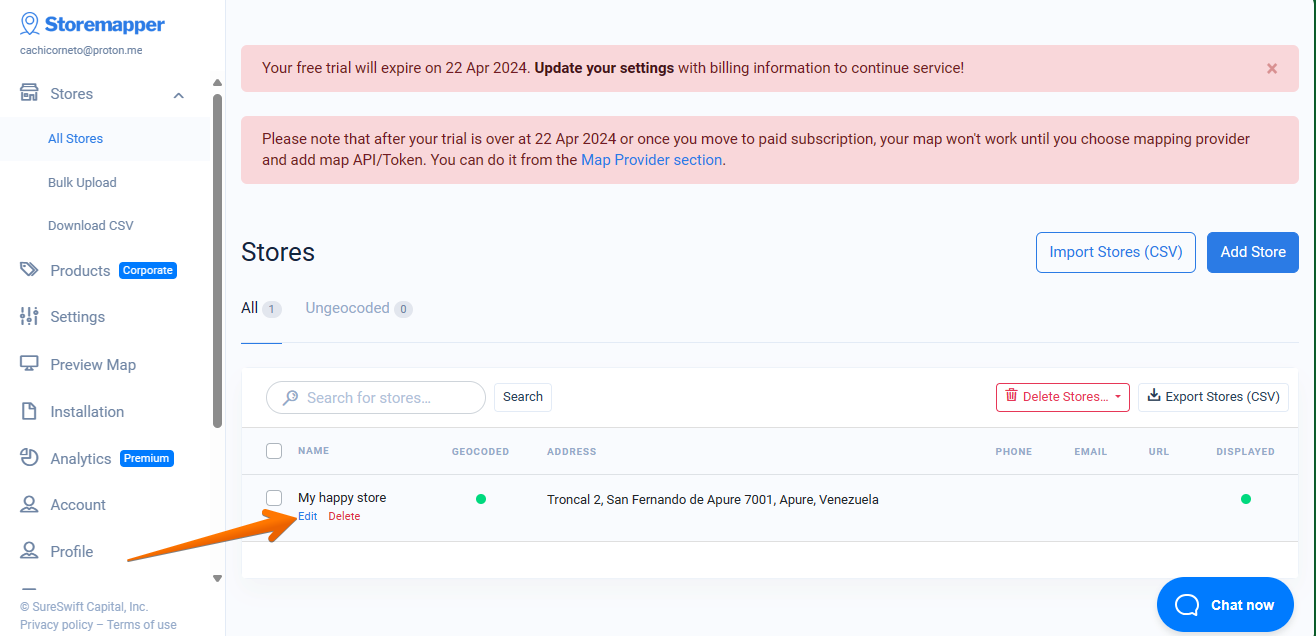
Then, you just have to select the store to which you have added it. Then just click on Edit.
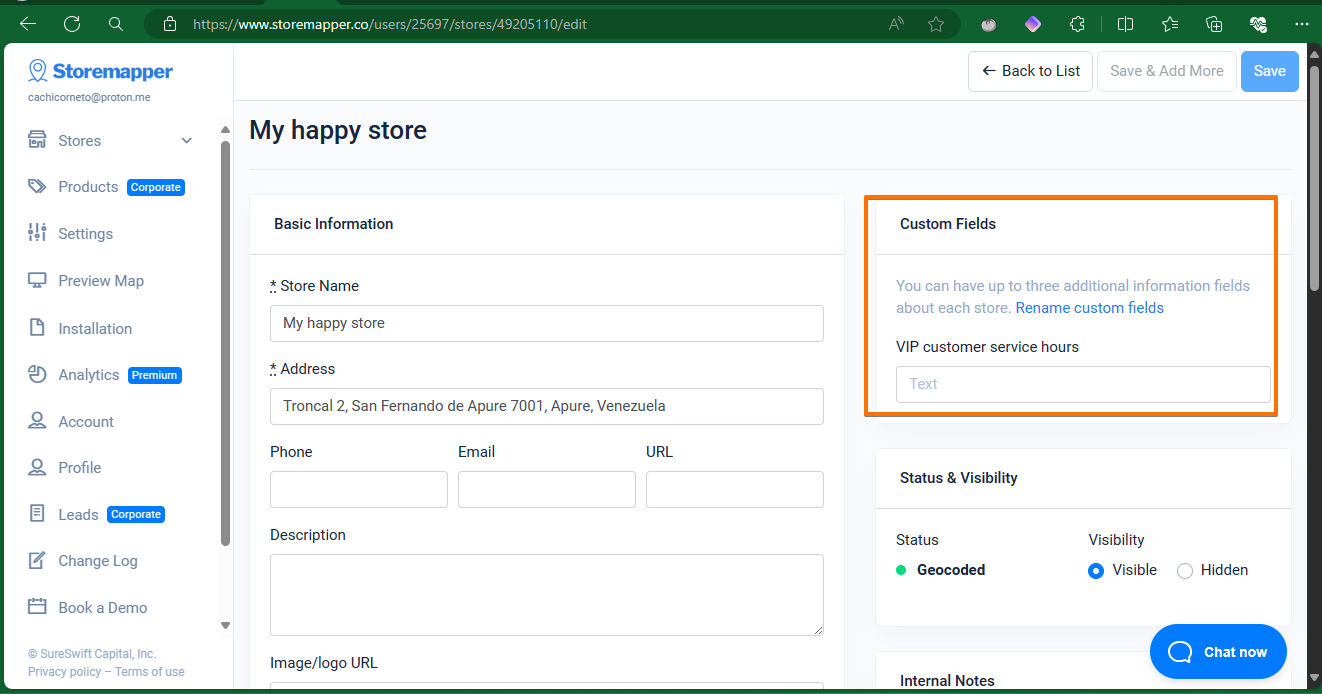
Finally, you will see the custom field ready to be used.