TimeHero is a smart task planning and work management app that automatically schedules your work for you, so you can get more done. It helps you to manage your daily tasks, projects, and recurring work, and it takes into account your availability and priorities. TimeHero is easy to use. Simply add your tasks, projects, and recurring work to the app, and TimeHero will create a personalized schedule for you. You can also adjust your schedule manually to fit your needs.
A Beginner’s Guide to Adding Tasks on TimeHero
This tool allows us to assign a series of tasks in time and place. These tasks will be assigned to employees. In this way, it is possible to control the performance and at the same time measure the productivity of the people involved in the work. Well, let's see how to add tasks easily in TimeHero. Once we have registered in the system, we will be able to access the platform overview. It is necessary to point out that the way the platform view is presented is through different options or sections. Consequently, when you start working, this view is empty. But don't worry, we will fill it with tasks. With this in mind, what we are going to do is click on Add a task.
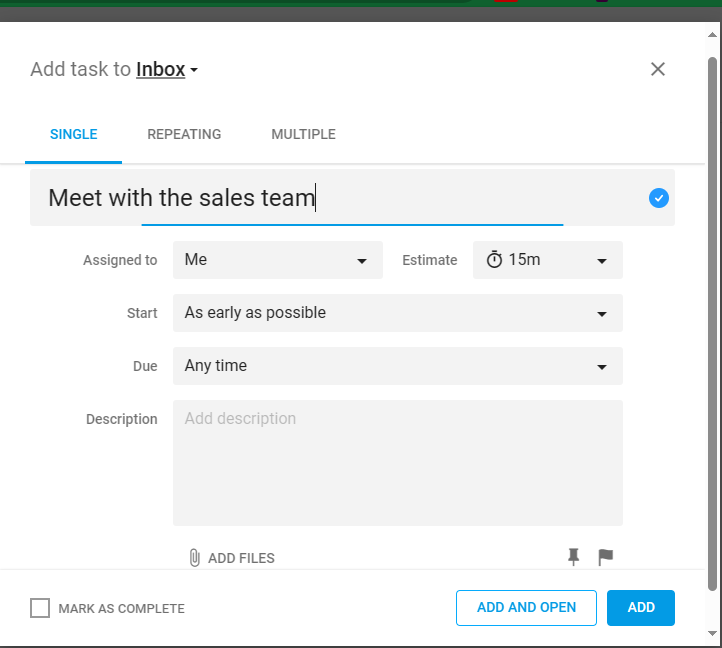
You will immediately see a dialog box where you can customize to the maximum the characteristics of the task you are going to assign. Let's look at them one by one:
- You can choose the frequency of repetition of the task: SINGLE, REPEATING and MULTIPLE.
- You can assign the task name.
- It is possible to assign the team member to whom the task will be assigned and the estimated duration of the task.
- You can also set the time period of task completion: any time, specific date, or send a link with the set date.
- A field is available to write the description of the task, if you wish.
- If you wish, you can attach files, pin the task and set the task priority.
- Finally, you can mark the task as complete, add and open it, or simply add it.
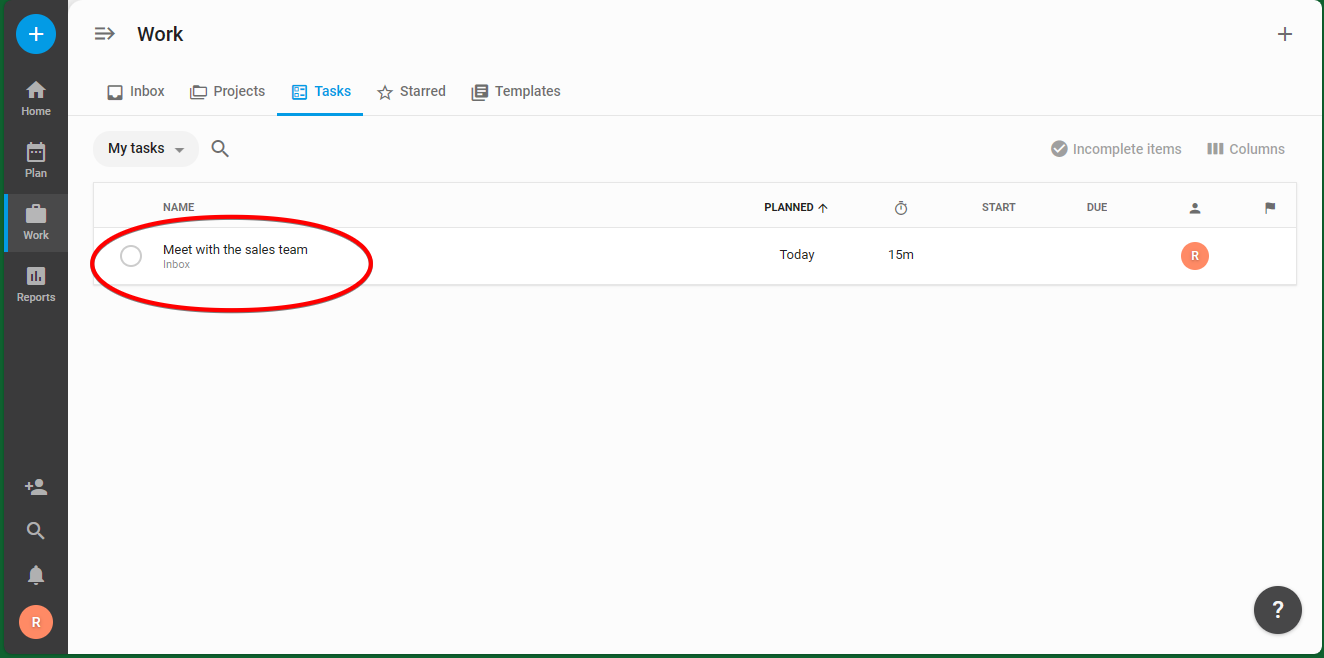
Once you have successfully added the task, you will see it from the platform dashboard.