123FormBuilder is an online form builder that allows individuals and businesses to create custom online forms and surveys. It offers a user-friendly interface with drag-and-drop functionality, making it easy to create and customize forms according to specific needs. 123FormBuilder is used by millions of individuals and businesses worldwide for various purposes, including lead generation, customer feedback, event registrations, surveys, and more. The platform aims to provide an easy-to-use form building experience while offering customization options and responsive design capabilities.
How to allow respondents to save for later a form submission
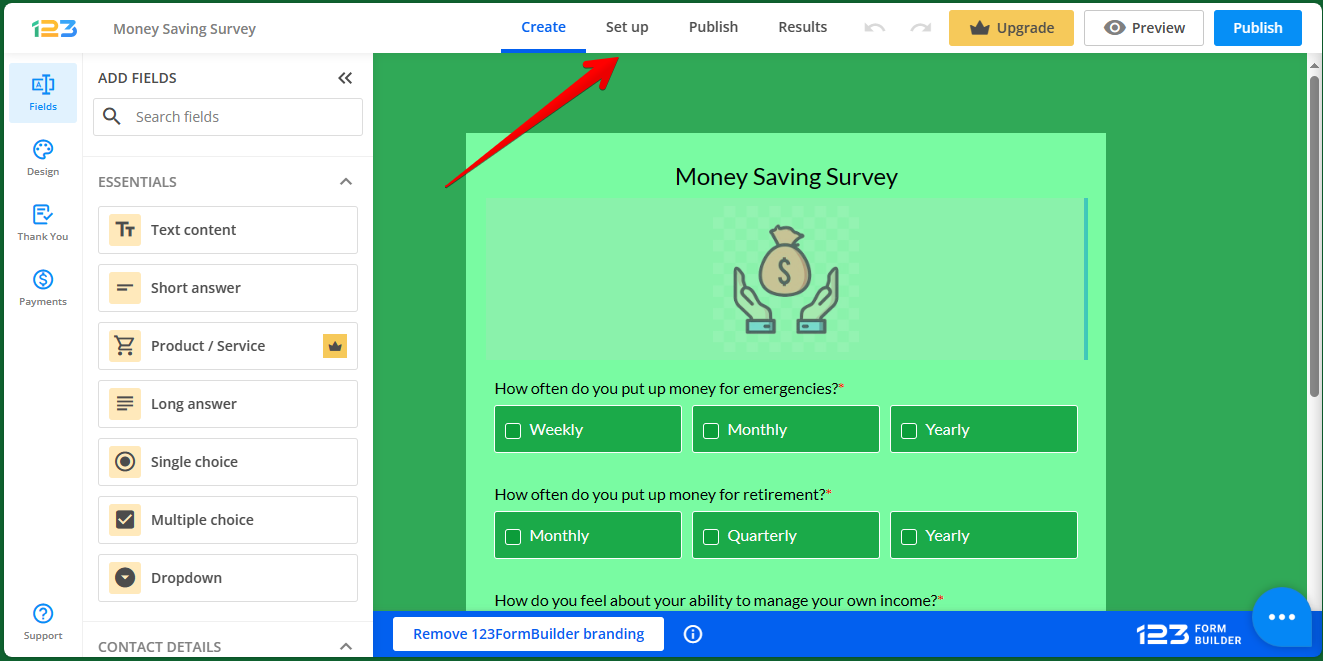
As we have mentioned, the possibilities of shape editing with this tool are very high. Indeed, this is one of its greatest virtues. Today we will see some functionalities related to the use of forms as surveys. Specifically to respondent actions. Read on to find out how to allow respondents to save for later a form submission. So, the first thing you have to do is to go to the editor. Once there, click on the Set up option.
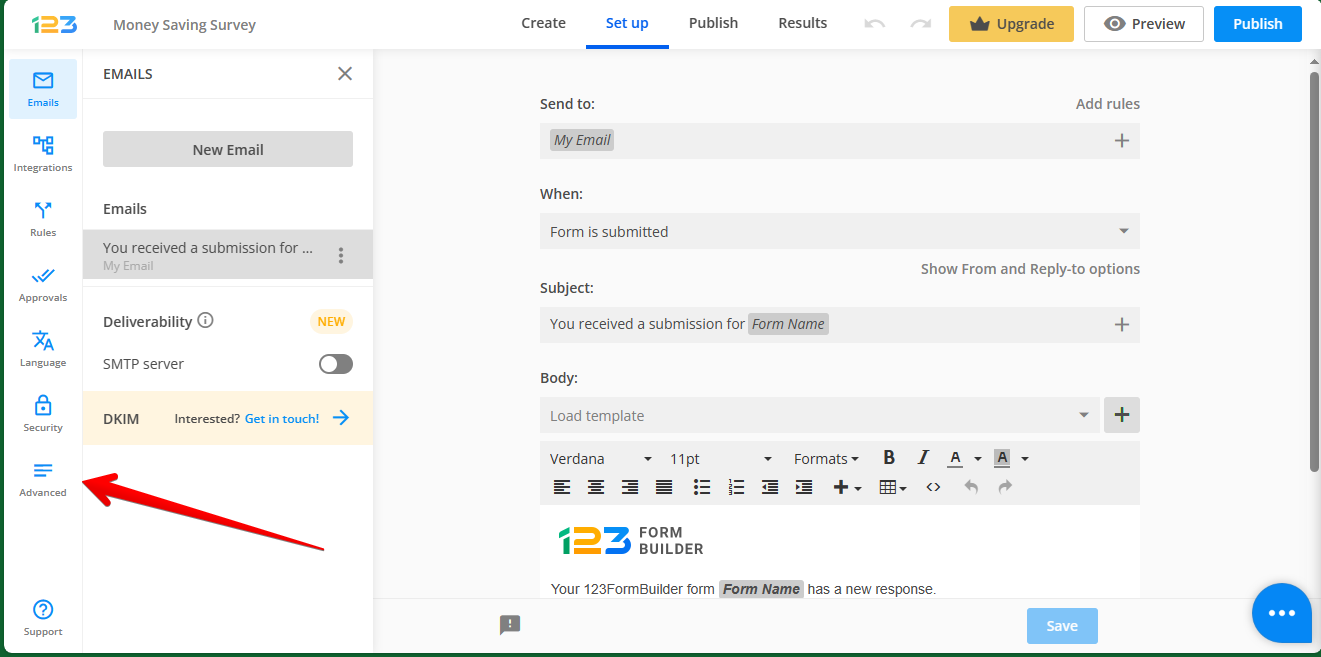
Next, you have to go to the left column. Once there, please click on Advanced.
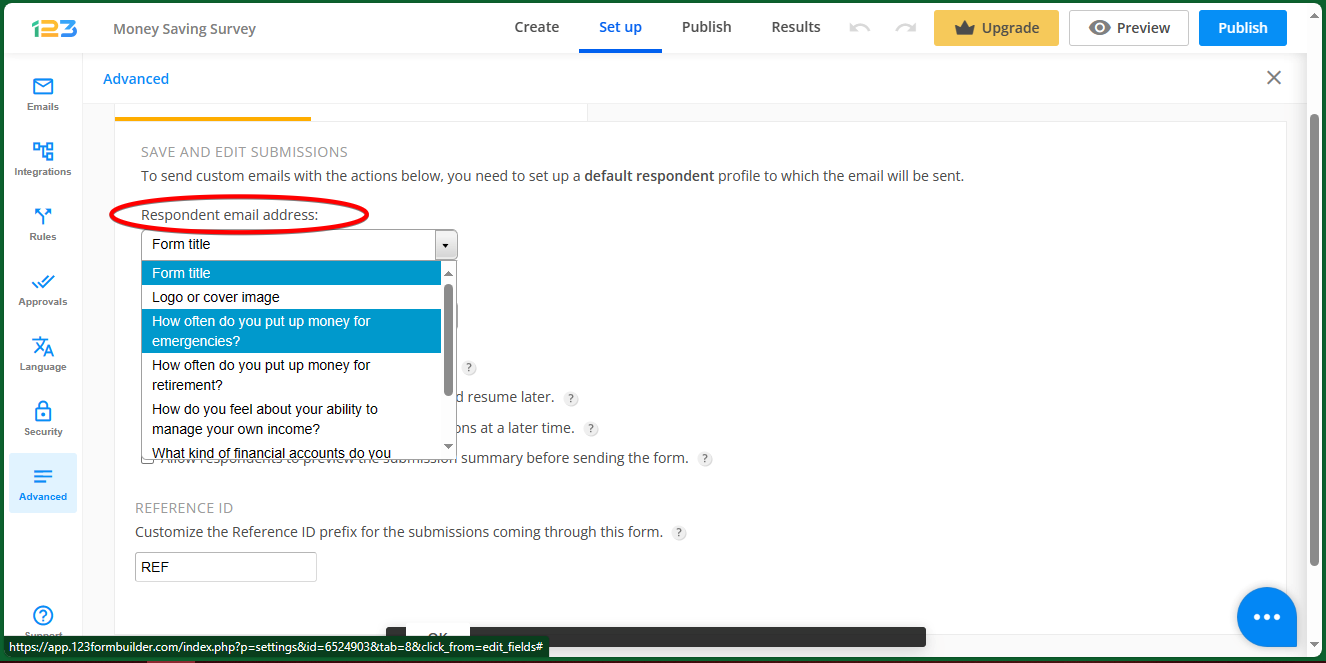
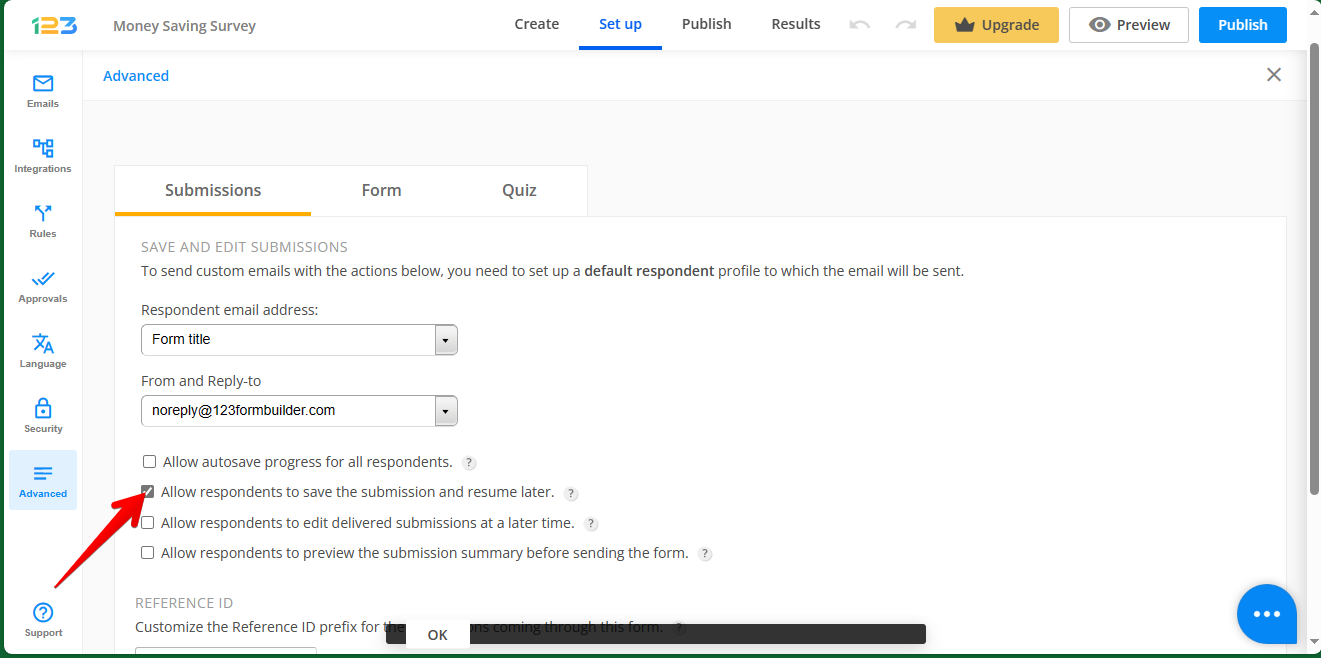
Consequently, a series of options related to saving and submission are displayed. Well, the option we are interested in is the one related to respondents' email address. By clicking on the drop-down menu, you will see a series of available options. Consequently, you just have to choose the option that best suits your needs. Take a look at the following image.
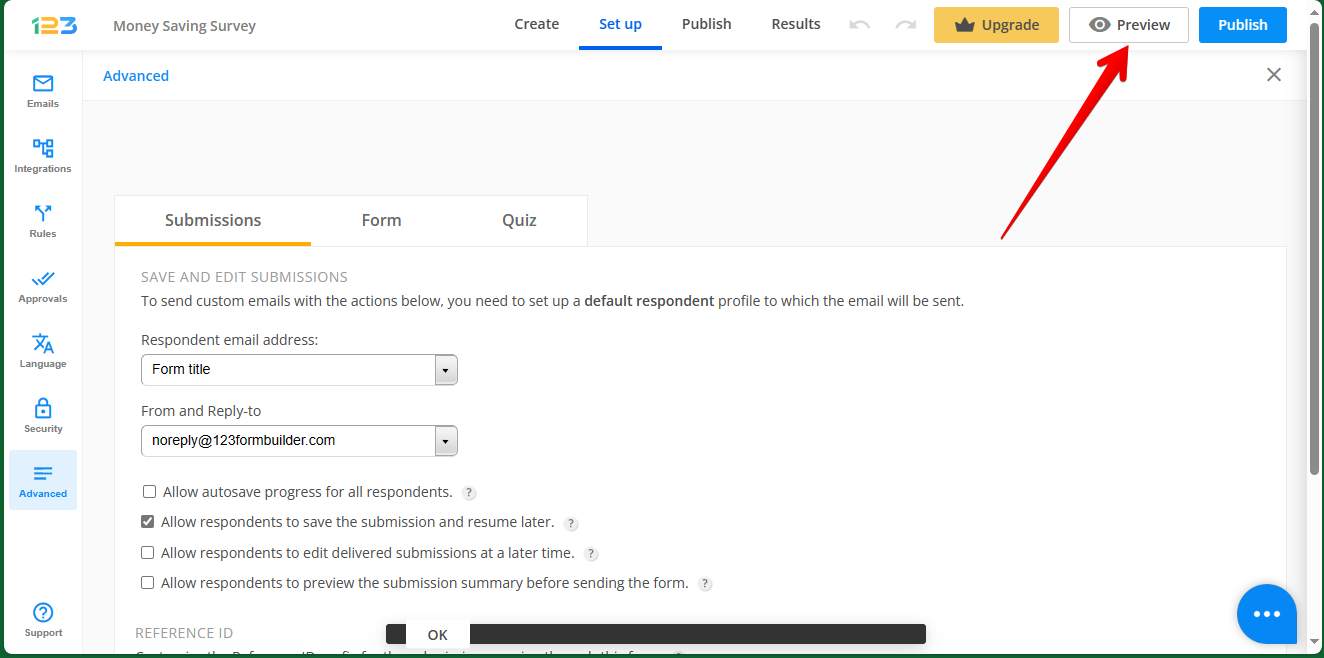
Once you have completed the previous point, you only have to check the second box under the drop-down menus. Specifically: Allow respondents to save the submission and resume later.
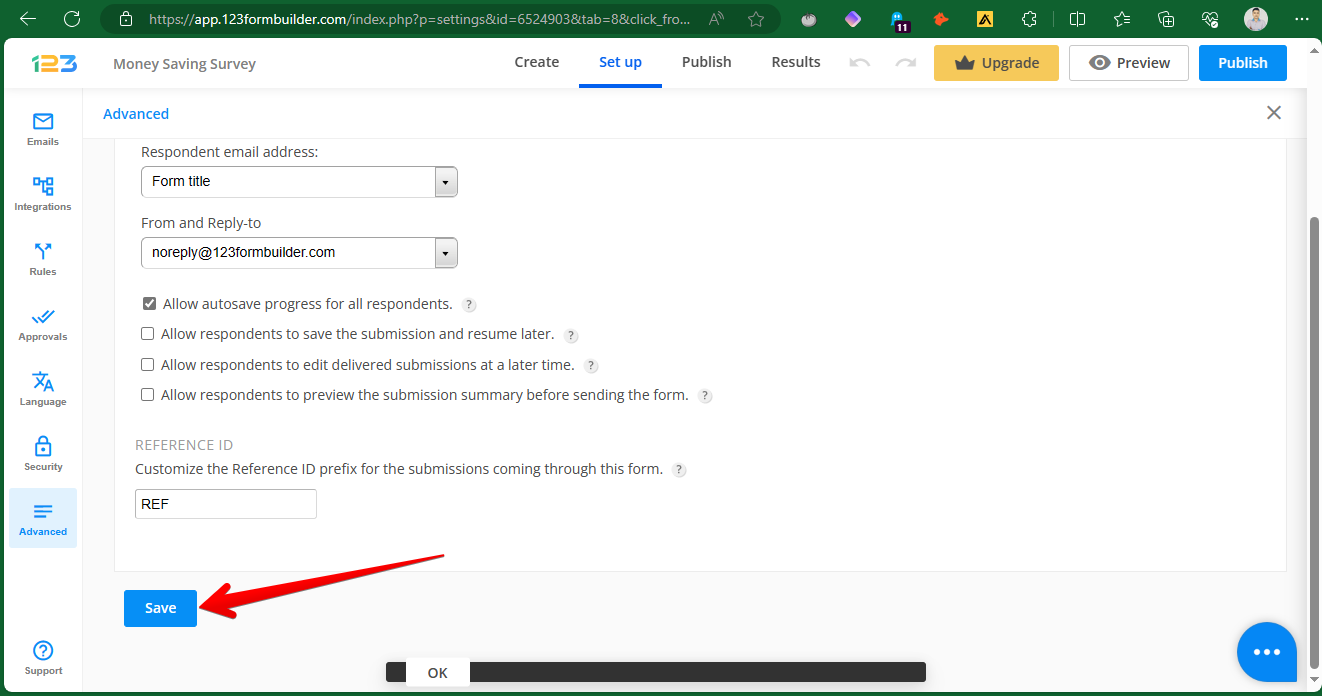
When you are ready, just scroll to the bottom and click Save to finish.
If you want to see the changes, just click the Preview button.