SmartSuite is a collaborative work management platform that enables teams to plan, track, and manage workflows. It provides a centralized space for team members to coordinate their work and access the information they need to accomplish their tasks. SmartSuite offers a range of features and capabilities designed to streamline work processes and improve productivity. It is a flexible platform that can be tailored to the specific needs of different businesses and projects.
How to Create a Solution Guide In SmartSuite
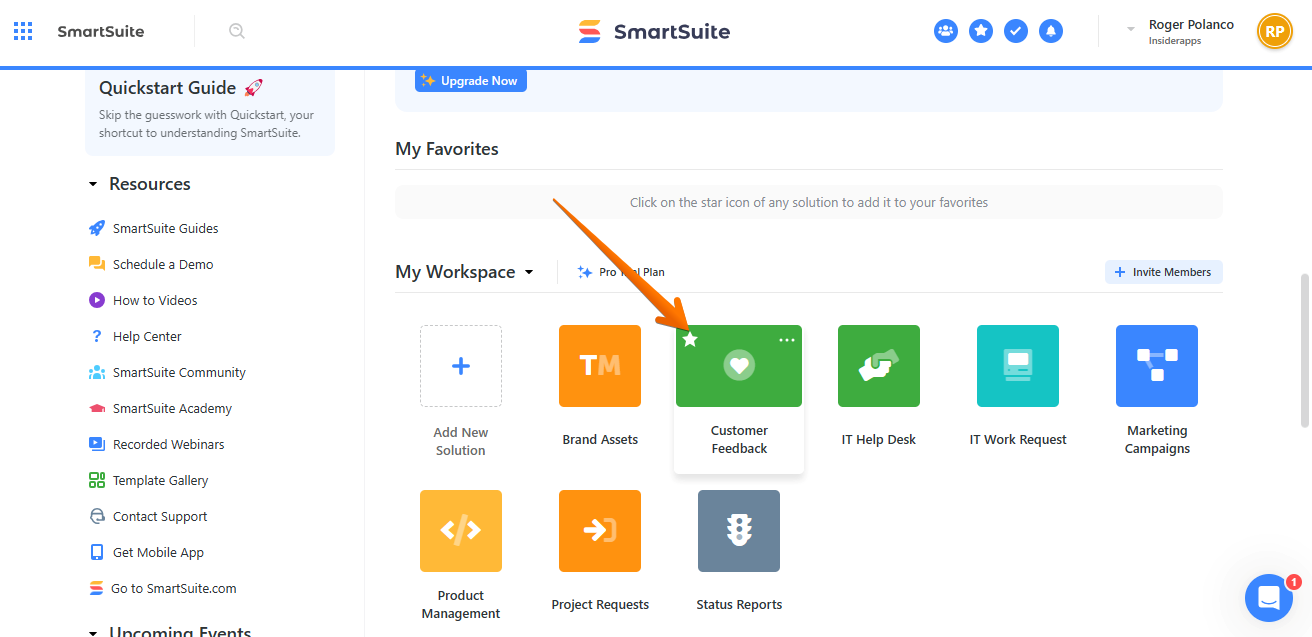
Today, we are going to learn how to create a solution guide in SmartSuite. This is one of the features available to be managed by the user. Let's see how we can make the most of it. What we need to do is to go to the dashboard of the tool. Once there, we will see that there are a number of tiles available. These tiles correspond to a particular solution. In this opportunity, we are going to select customer feedback. It will certainly serve as an example. With this in mind, we will click on the corresponding tile. Please look at the image.
Consequently, a couple of options available for this tile are displayed: we are talking about Customer Feedback and Registered Users. Obviously, this is a solution for the different managed apps. Note that we will write a guide on how to use a solution, and specifically about the intrinsic relationship between the app and what the solution is required for. With this in mind, just click on the top of the title.
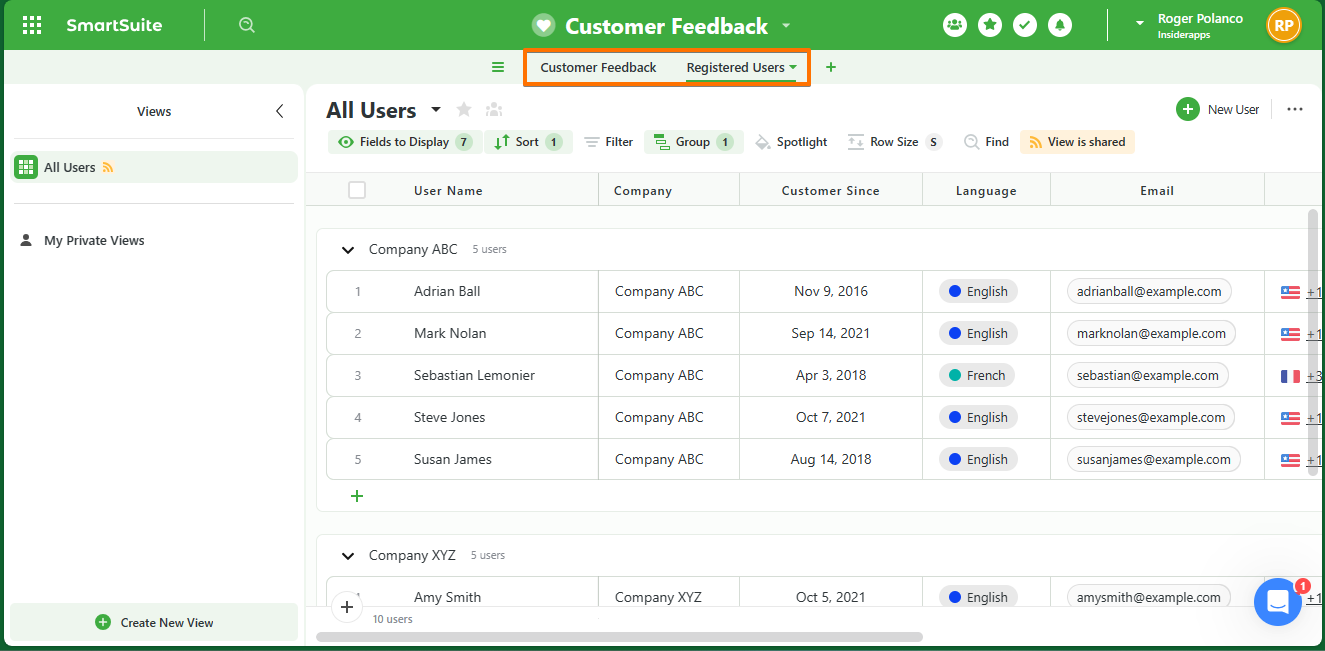
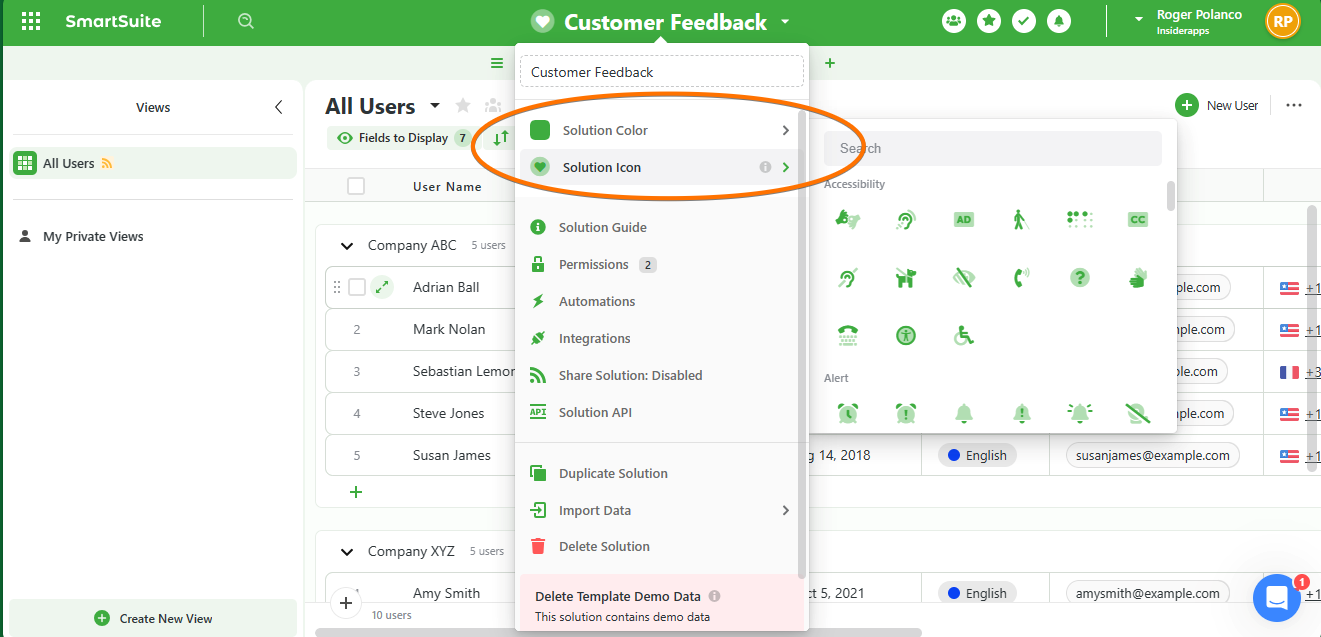
On the other hand, right next to Registered Users we will find a Nabla symbol. When you click on it, a menu will drop down. There you will see a series of options available for feedback. Some of them include customization of the feedback. Indeed, it is possible to customize the color of the solution. Or even customize the icon that will be used for it.
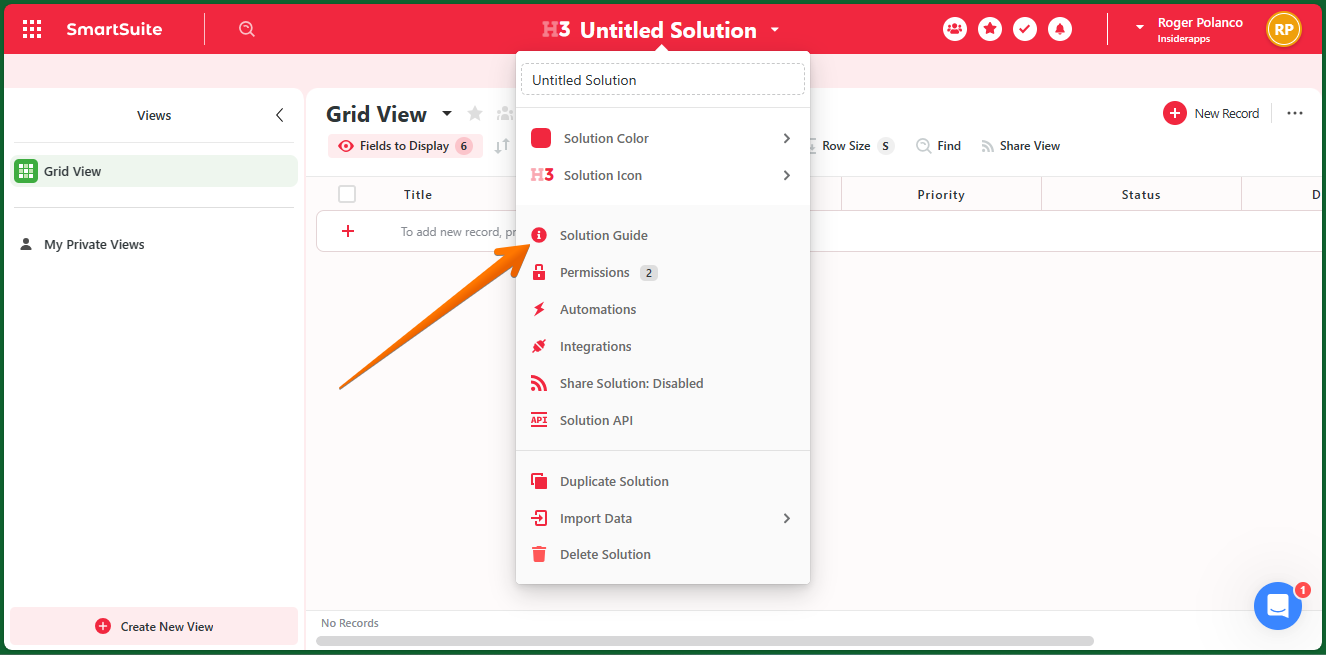
Well, once this aspect has been customized, it is time to start managing the solution. With this in mind, just click on the top menu. This action will drop down a new menu. Next, just click on Solution Guide.
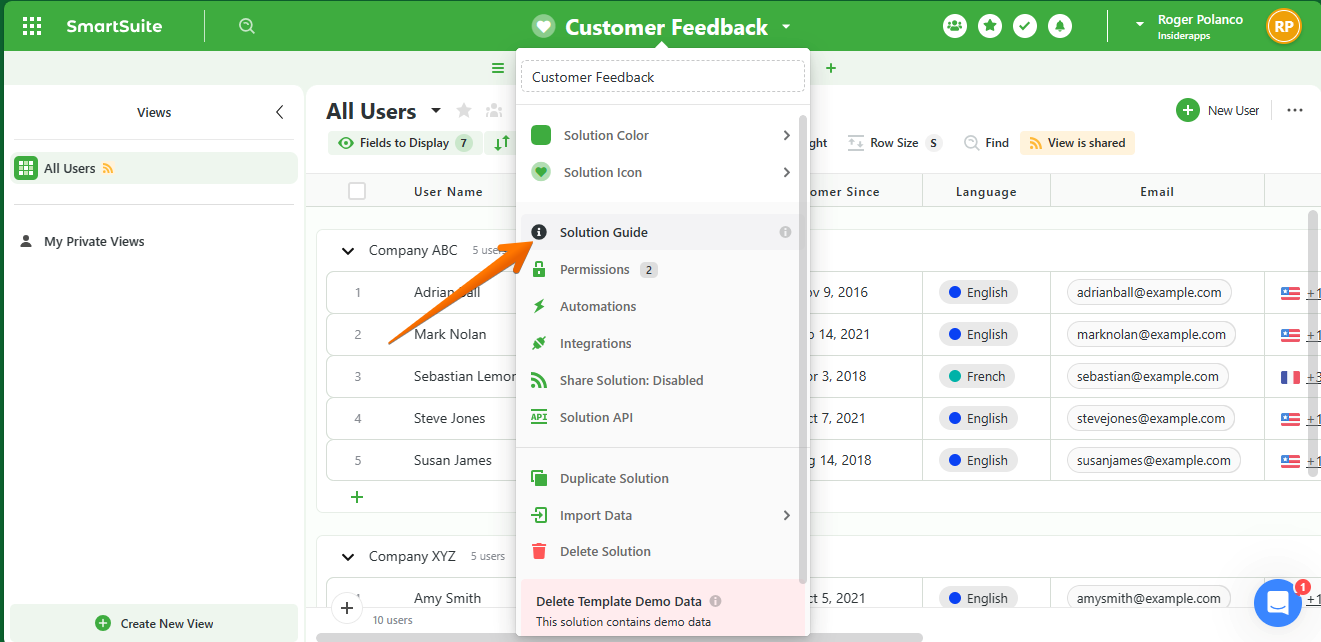
The solution guide template is immediately displayed.
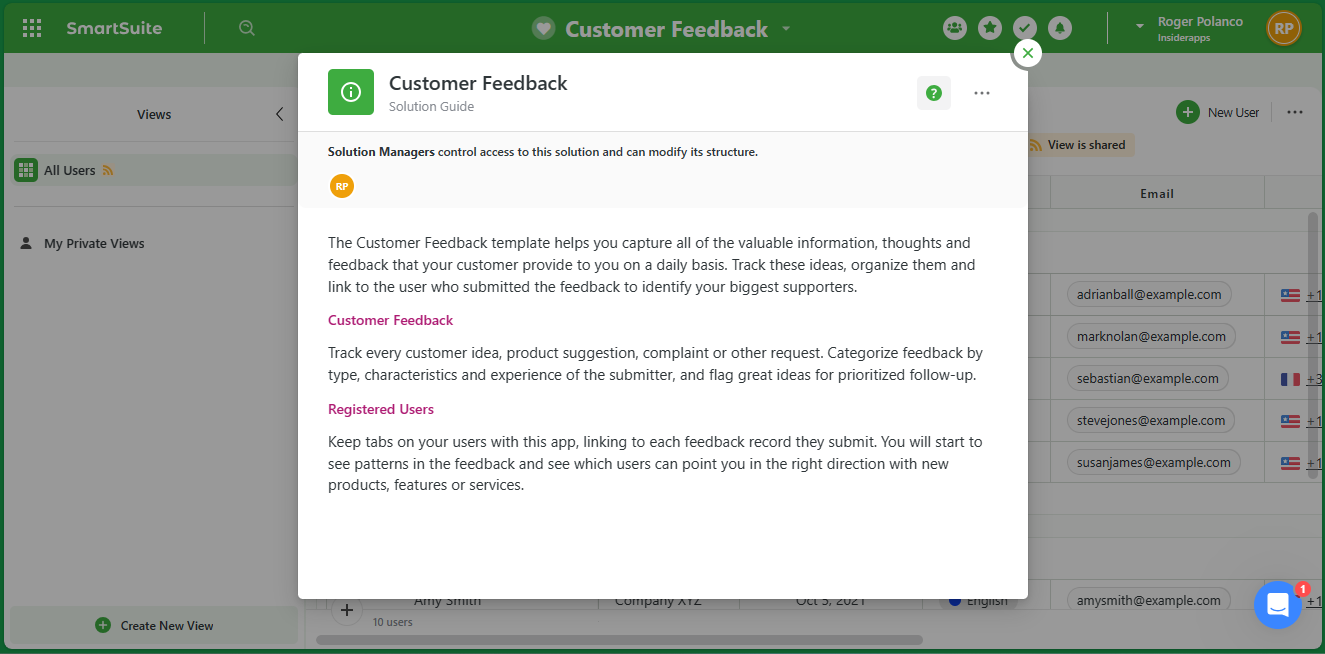
As we mentioned, since it is a template, we are free to edit and customize it to our liking.
With this in mind, just click on the 3 dots in the upper right corner of the window. With this in mind, just click on the 3 dots in the upper right corner of the window. Then click on Edit Guide.
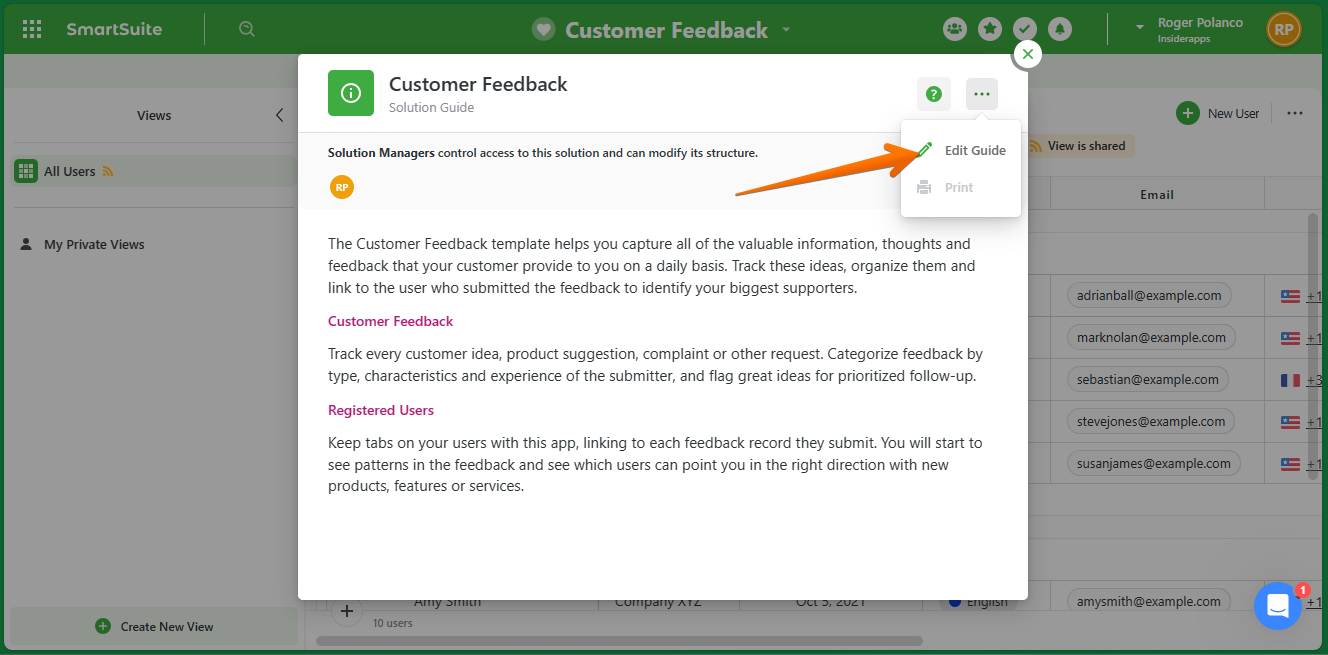
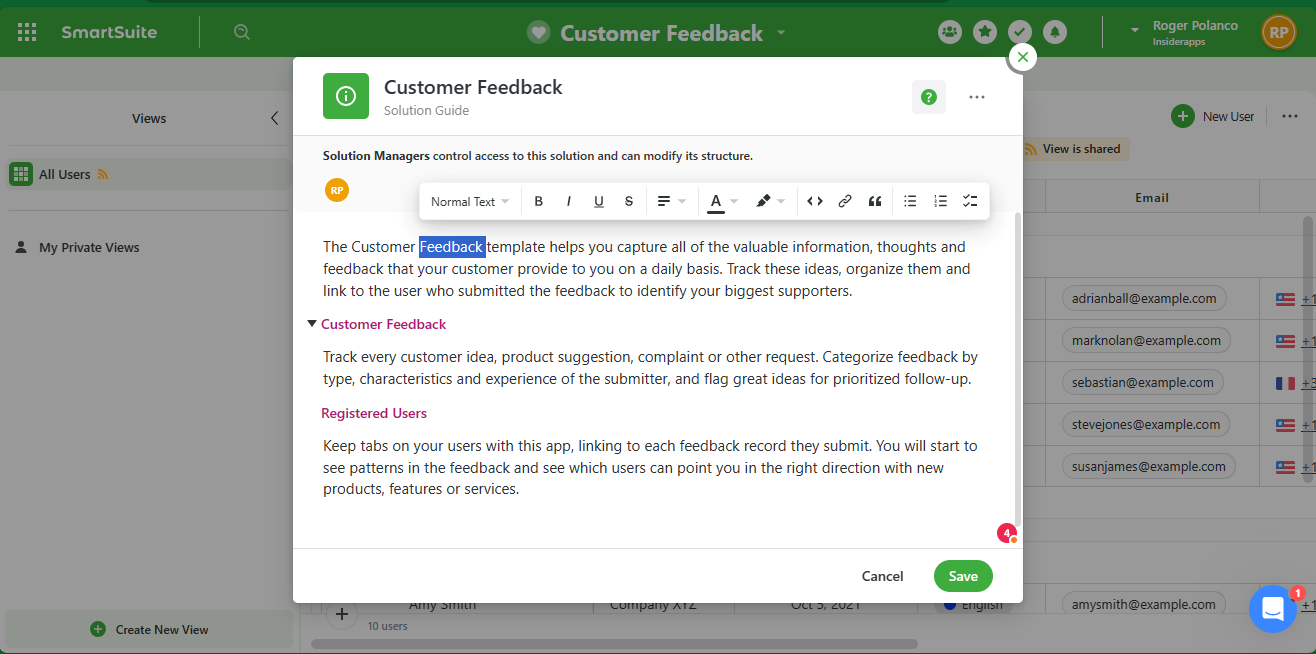
In this way, you will be able to freely modify the writing of the document. Additionally, it has the options of a text editor. We will be able to add numbered lists, bullets, links, bold, and others.
Well, by following these steps, we will be able to generate a Solution Guide from a template. However, it is also possible to manage this type of document from scratch. With this in mind, just go to the main menu of the tool. Once there, just scroll down and click on Add new solution. Then select Create from scratch.
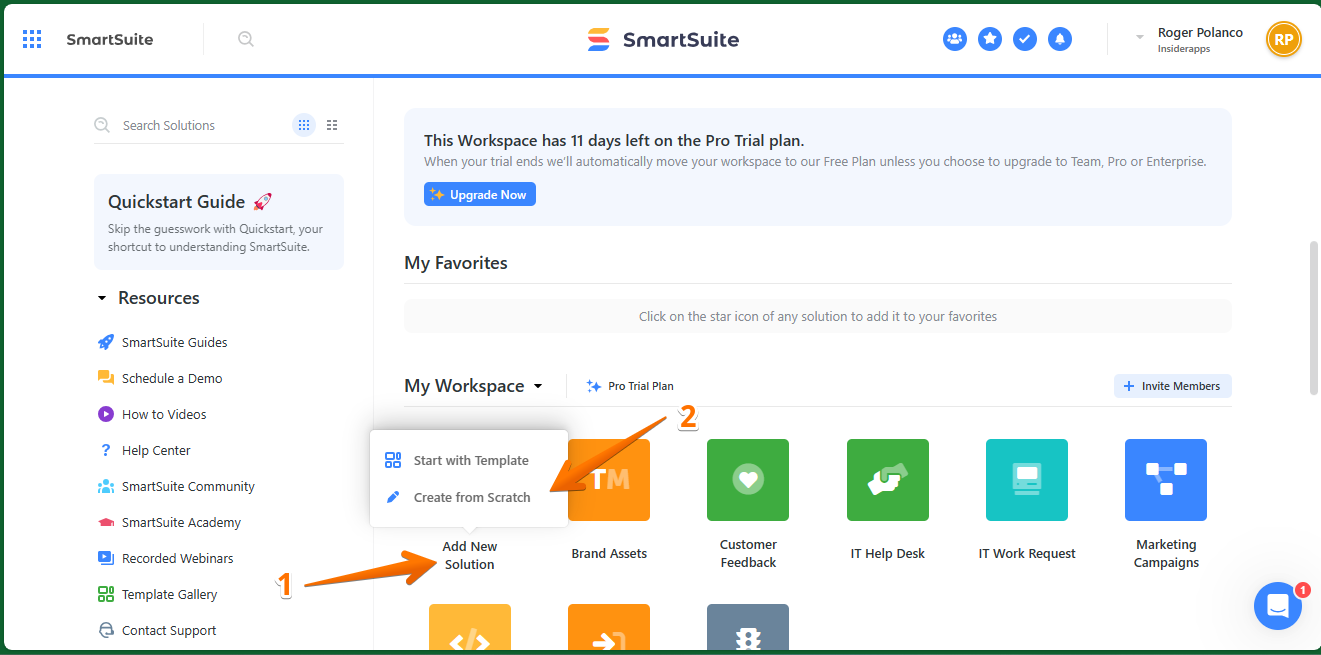
Next we will see available a field to be filled with the text of our preference.
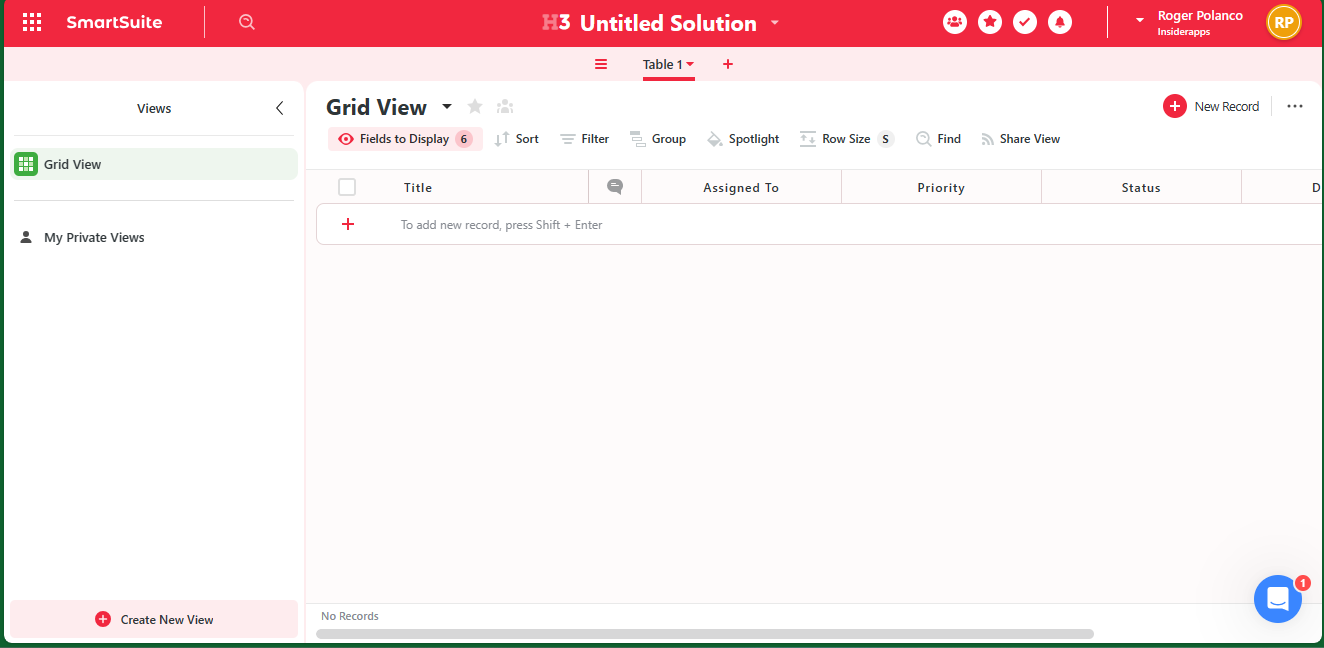
Obviously, we can add a Guide Solution to start working. To do so, just click on the top menu and then select Solution Guide.
After clicking on Edit Guide, you will have access to the editing panel, where you have all the necessary tools to freely create and edit a guide.